Software for owners of holiday homes and holiday apartments

Bookings, invoices and utility costs for your holiday home. In one program.

From the first quote to the electricity and water bill: Villaro brings together your occupancy calendar, guests, payments and cash book, and writes your documents in German, Dutch or English. Your data stays on your own PC.

For Windows 10 and 11 · no account with a provider required

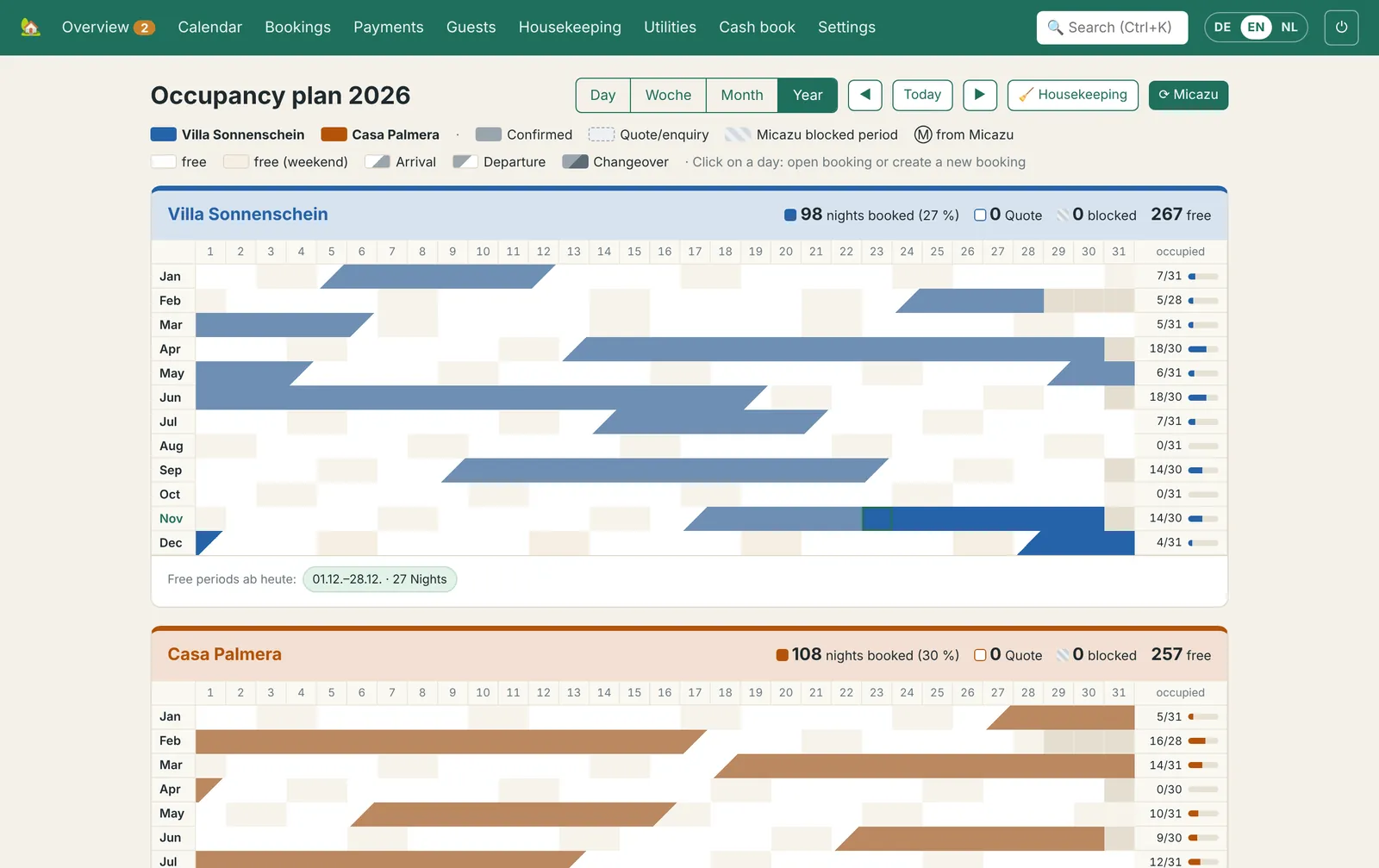
Annual occupancy plan for two holiday homes with booked nights, occupancy per month and free periods
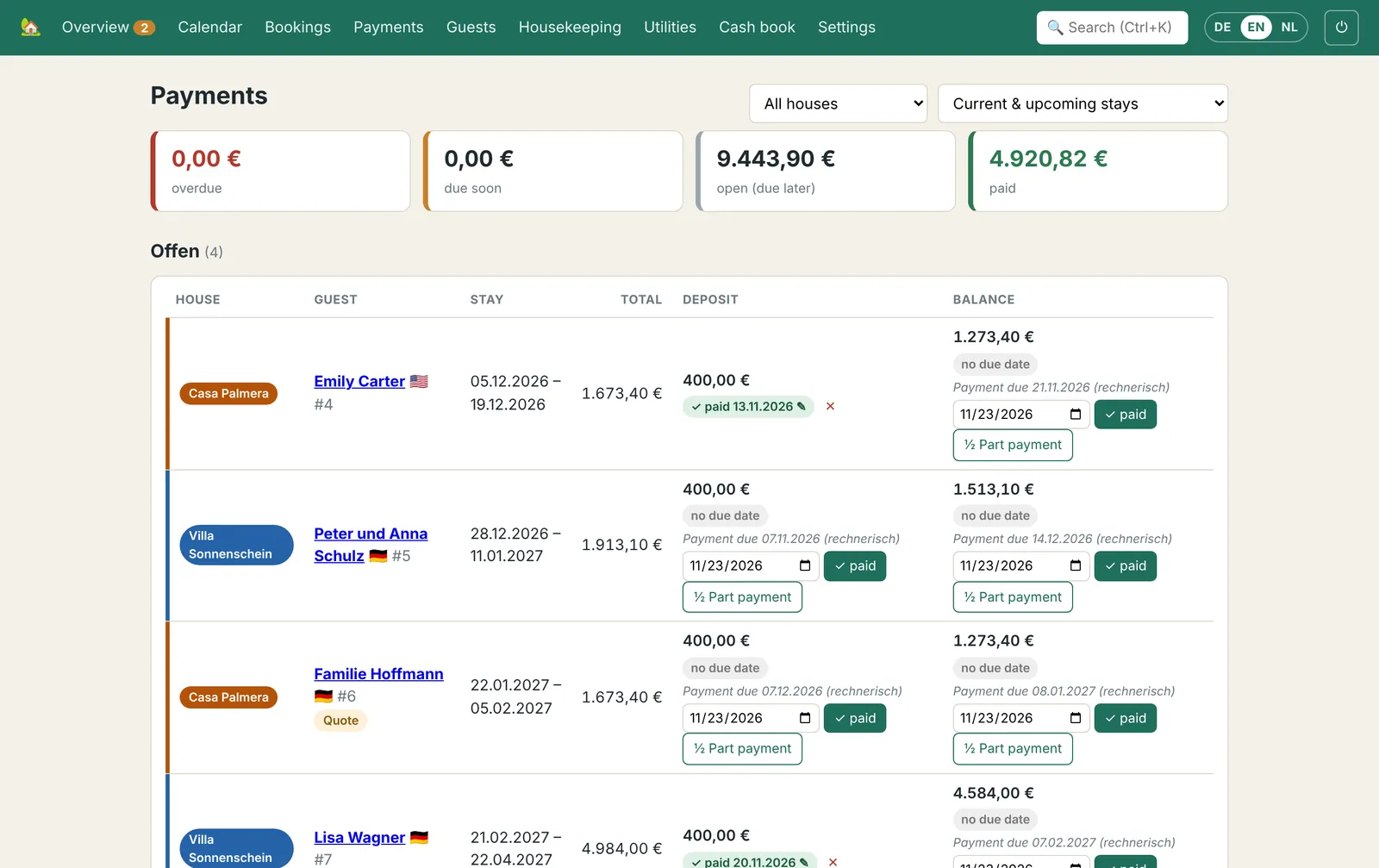
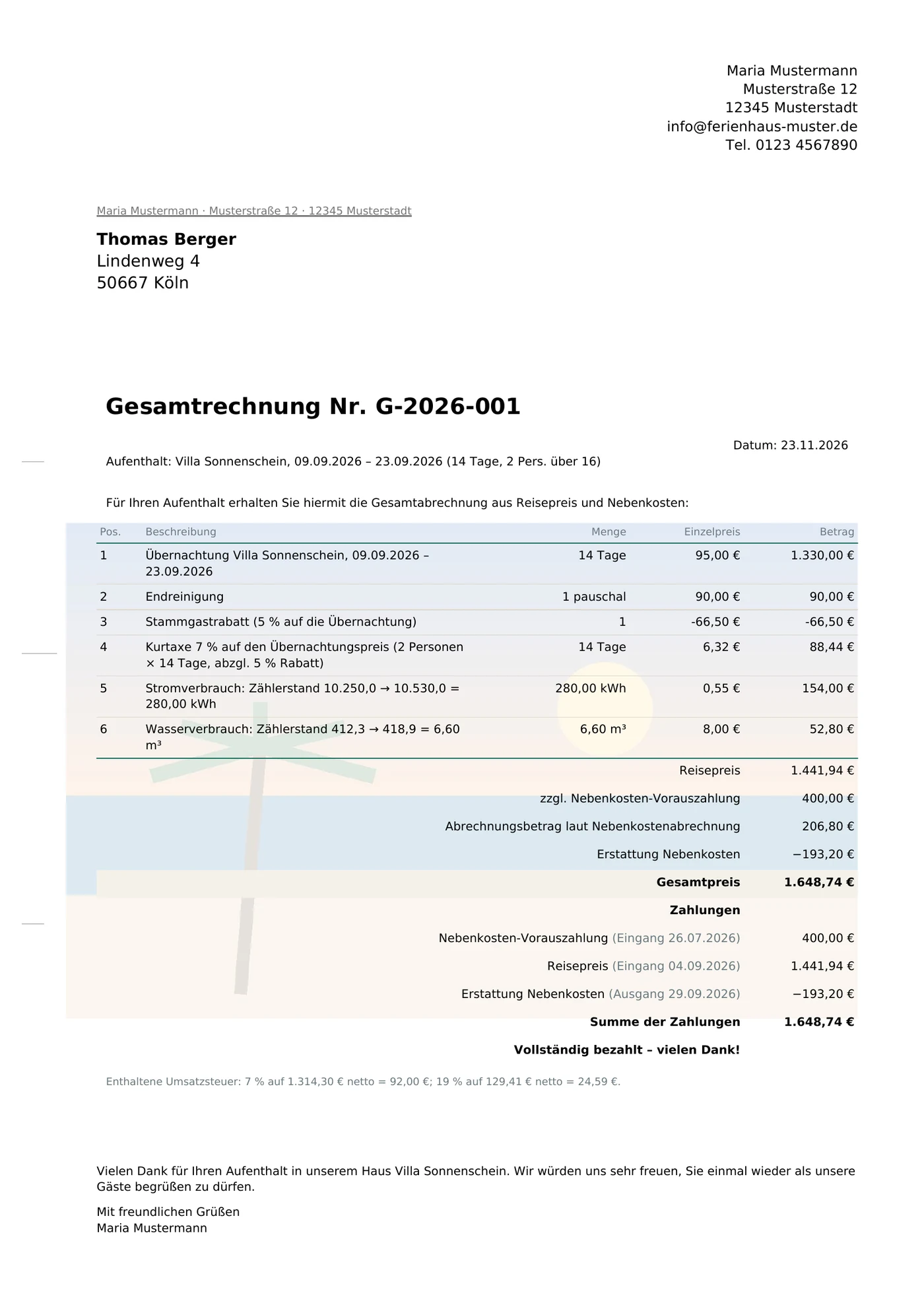
Final invoice with rental price, tourist tax, utility statement and payments received
1 to 10 houses or apartments 3 languages for all documents Interface in German, English or Dutch Tourist tax and VAT automatic iCal sync with Airbnb, Booking.com, Micazu All texts fully editable Local on your PC, with automatic backup
Tour

Everything between enquiry and departure

Pick an area. All images are taken from the program, filled with made-up sample data. Click an image to enlarge it.

Occupancy calendar for all your houses

  • Annual overview with booked nights, occupancy per month and the next free periods
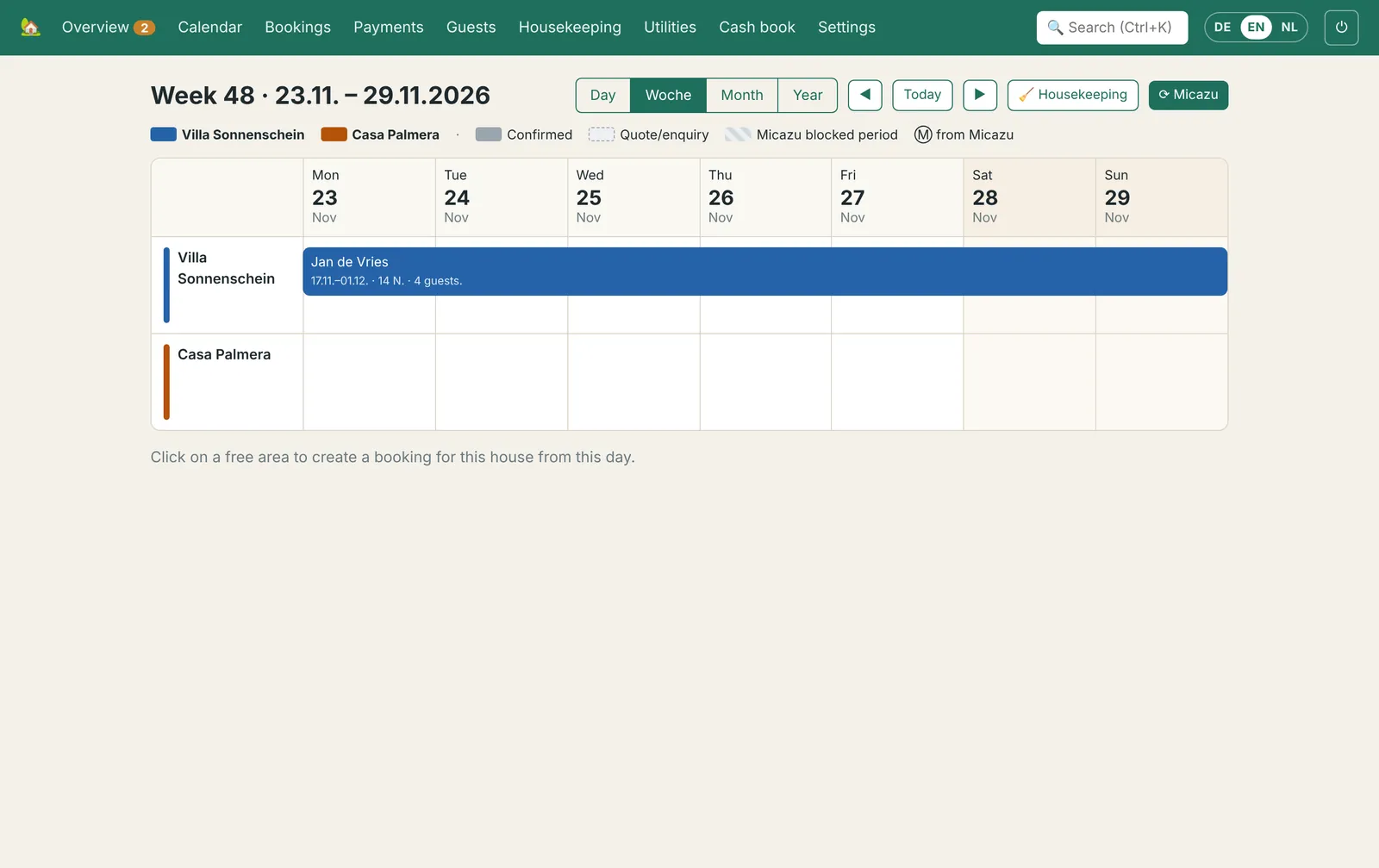
  • Month, week and day views; check-out and check-in on the same day are visible at a glance
  • Quotes, confirmed bookings and blocked periods in their own colours, each house in its own colour
  • Click on a free slot to create a booking for that house and day straight away
  • Bookings from Airbnb, Booking.com or Micazu are imported and marked
  • Warning for overlapping bookings
Weekly view of the occupancy calendar with a current booking at Villa Sonnenschein
Try it yourself

How the program calculates

Change the values. The invoice on the right is calculated exactly the way the program does it. All amounts are examples.

Maria Mustermann · Musterstraße 12 · 12345 Musterstadt
Thomas Berger
Lindenweg 4
50667 Köln
Maria Mustermann
Musterstraße 12
12345 Musterstadt
info@ferienhaus-muster.de
Tel. 0123 4567890
Documents

Quotes and invoices in your guests' language

Every document is created as a PDF in German, Dutch or English, depending on the guest's language. The letterhead fits window envelopes, a photo of your house can appear as a faint watermark, and you can adapt all texts as your own templates.

  • Sequential numbers: A-2026-004, R-2026-003, N-2026-001, G-2026-001
  • VAT per line item; note for small businesses exempt from VAT possible
  • Payment terms, bank details and payment reference added automatically
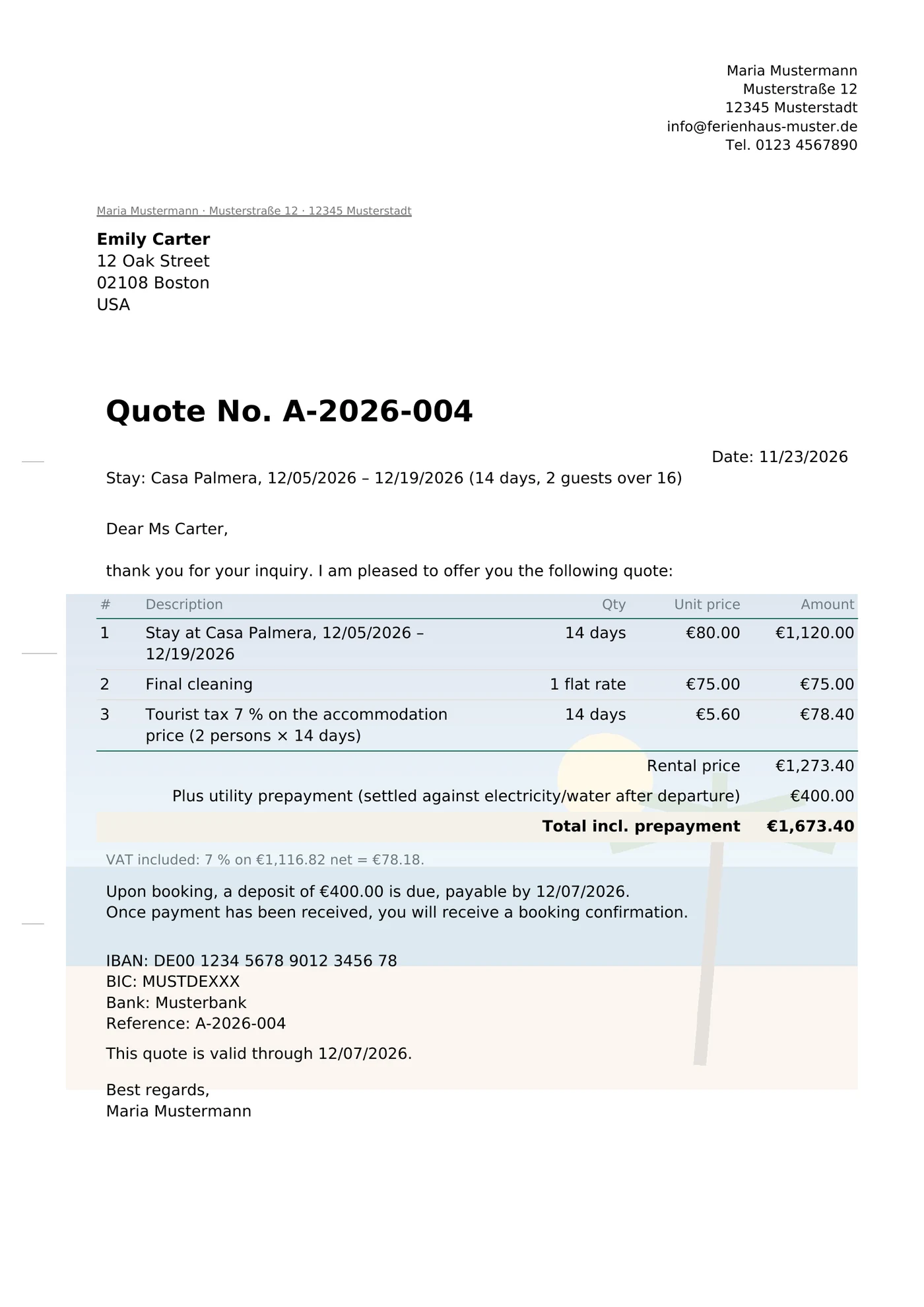
Quote in English with rental price, final cleaning, tourist tax and utility prepayment
Your texts, your tone

Every text can be changed freely

Whether it's the email with a quote, the introduction to a booking confirmation, a payment reminder or a thank-you after departure: you write every text your guests receive the way you would say it yourself. Separately for each of the three languages.

  • Emails for quotes, booking confirmations, invoices, utility statements and final invoices: subject, salutation, text and closing
  • Documents: headings, opening and closing texts, payment notes and the description of every invoice line
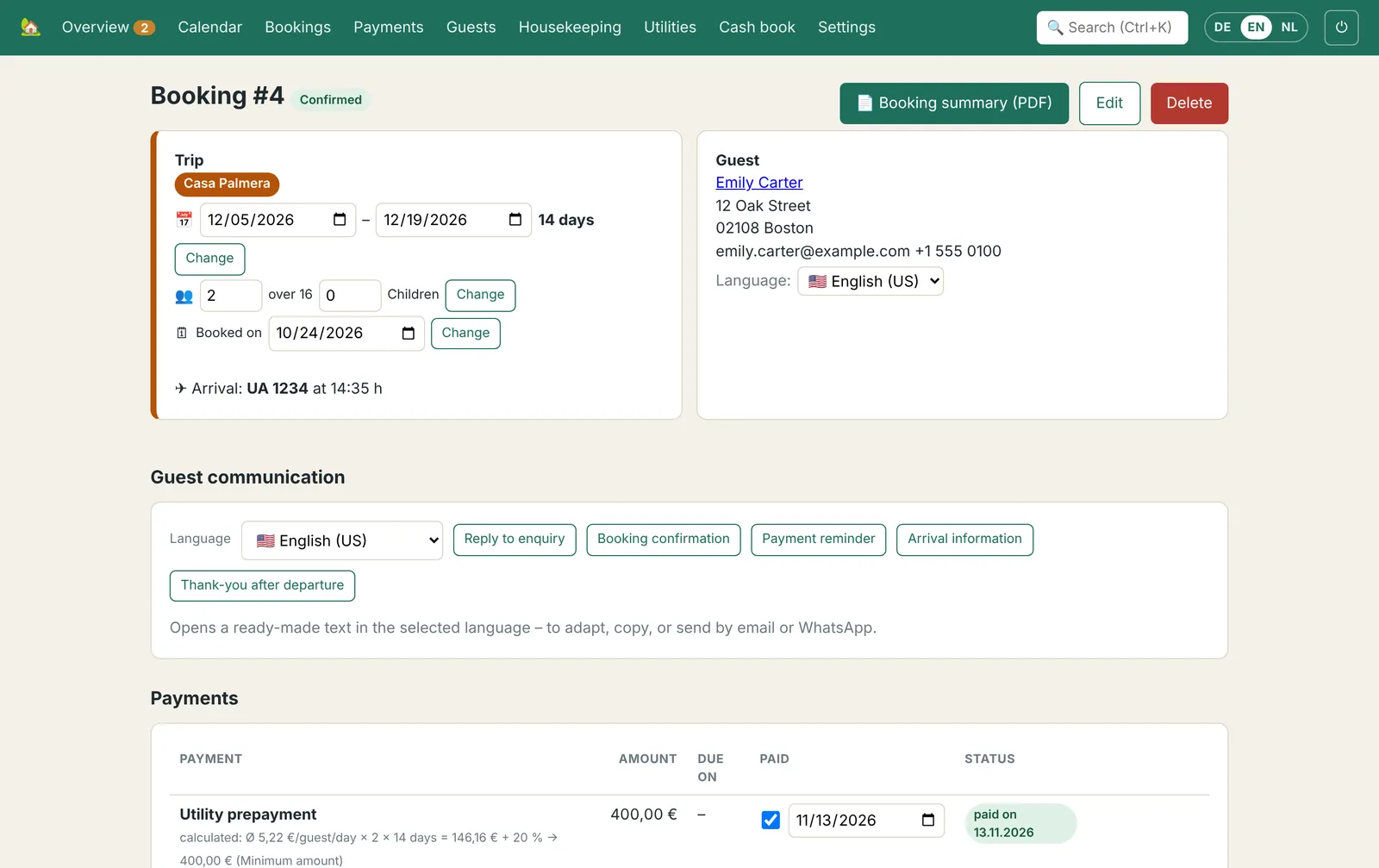
  • Messages to guests: reply to enquiry, booking confirmation, payment reminder, arrival information, thank-you after departure, birthday greeting
  • Before anything is sent you see the finished email and can still adjust it for that one guest

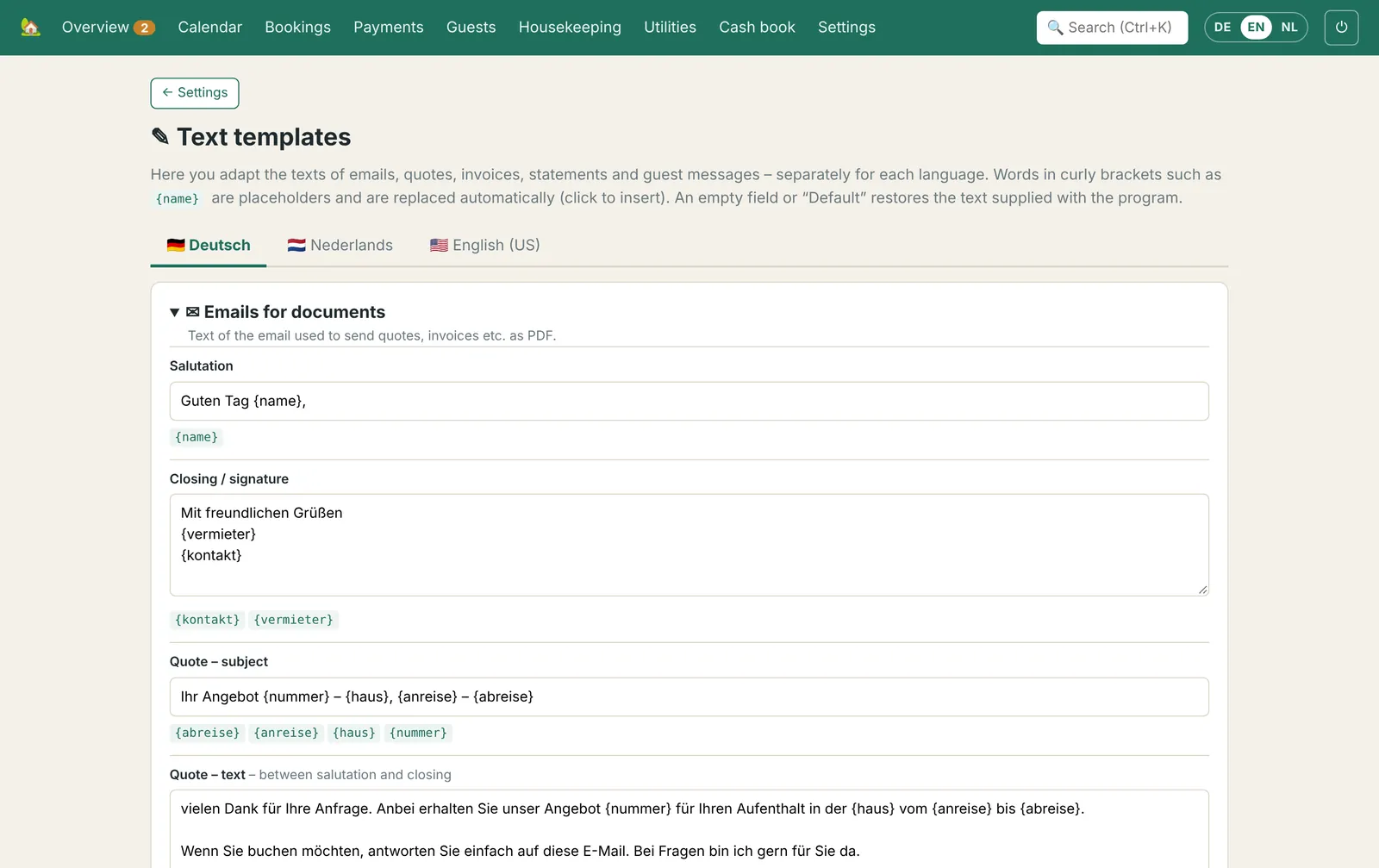
Placeholders are filled in automatically, for example:

{name}{haus}{anreise}{abreise}{betrag}{nummer}{vermieter}

An empty field or “Default” restores the text that comes with the program.

Text templates with tabs for German, Dutch and English and placeholders such as name and owner
Win repeat guests

The program remembers your guests' birthdays

Guests who receive birthday wishes from their favourite holiday home are happy to book again. The program reminds you in good time and has the greeting ready in the guest's language. Add a small gift for their next booking and it becomes an invitation.

  • Enter the birthday in the guest record, with or without year of birth
  • Reminder on the start page and in the daily reminder email – you decide how many days in advance
  • “Send greeting” opens the finished text, by email or WhatsApp
  • Tick it off once sent; next year the program reminds you again

Gift for the next booking

Guest's language

You enter the gift once in the “Birthday greeting” template. From then on it appears in every greeting.

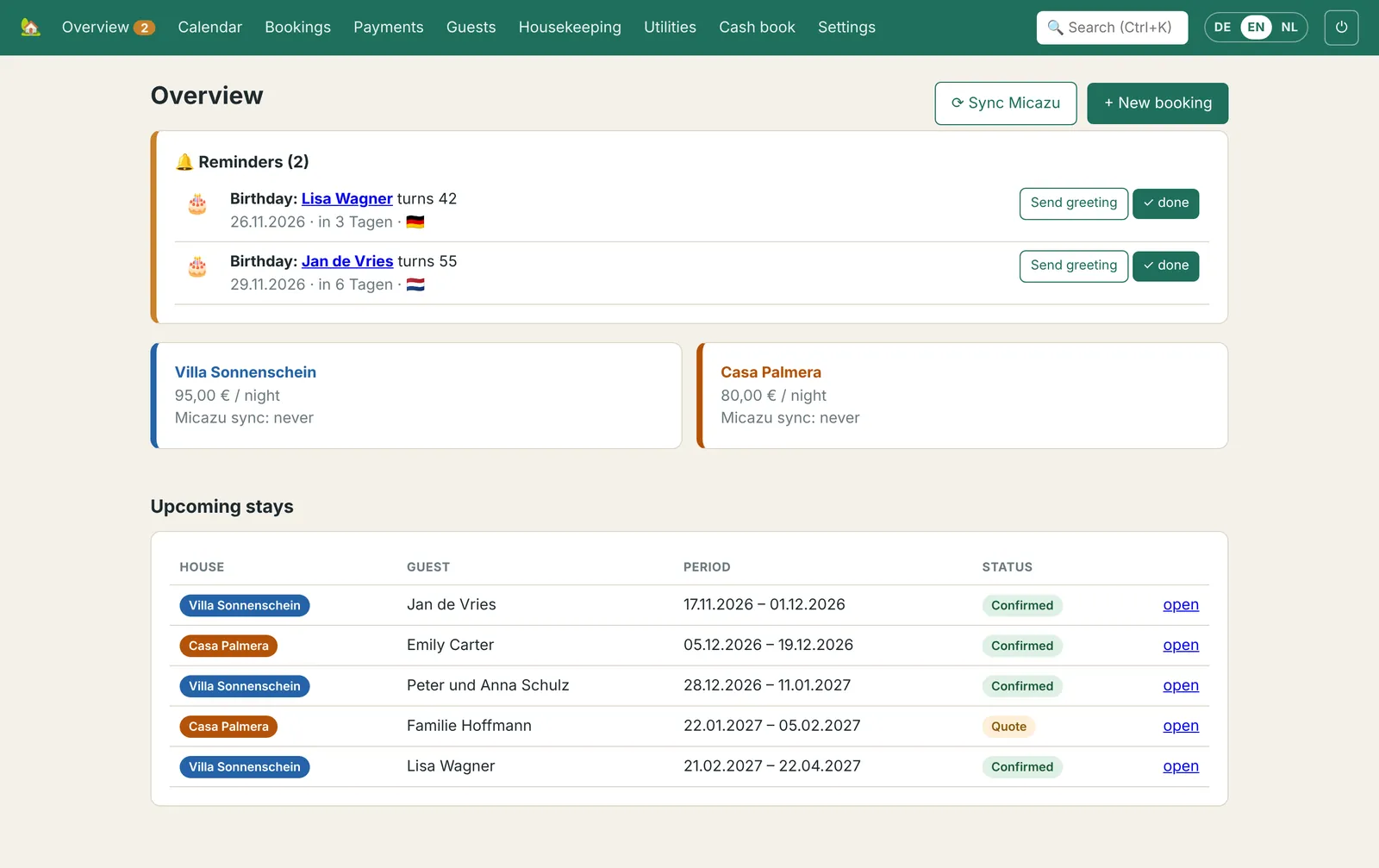
Birthday: Lisa Wagnerturns 42 · on 26 Nov · in 3 days
Start page with reminders of two guests' birthdays and a Send greeting button
Channel managers and portals

One calendar for all portals

The program syncs occupancy via iCal links, the standard offered by practically every booking portal and channel manager.

AirbnbBooking.comMicazuVrboany provider with iCal

From the portal to the program

Enter your portal's iCal link for each house. New bookings appear in the calendar as bookings, blocked days as blocked periods.

From the program to the portal

Your occupancy is saved as a calendar file in Dropbox, Google Drive or OneDrive. The portal picks it up there, even when your PC is switched off.

With connection test

One click checks each link the way the portal calls it and reports how many bookings were found.

Your data

Guests, bookings and invoices stay with you

Local instead of a cloud account

The database is on your PC. There is no account and no provider storing your guests' data.

Automatic backup

After every change the program saves a copy to a folder of your choice, such as a USB stick or your cloud storage.

Export whenever you like

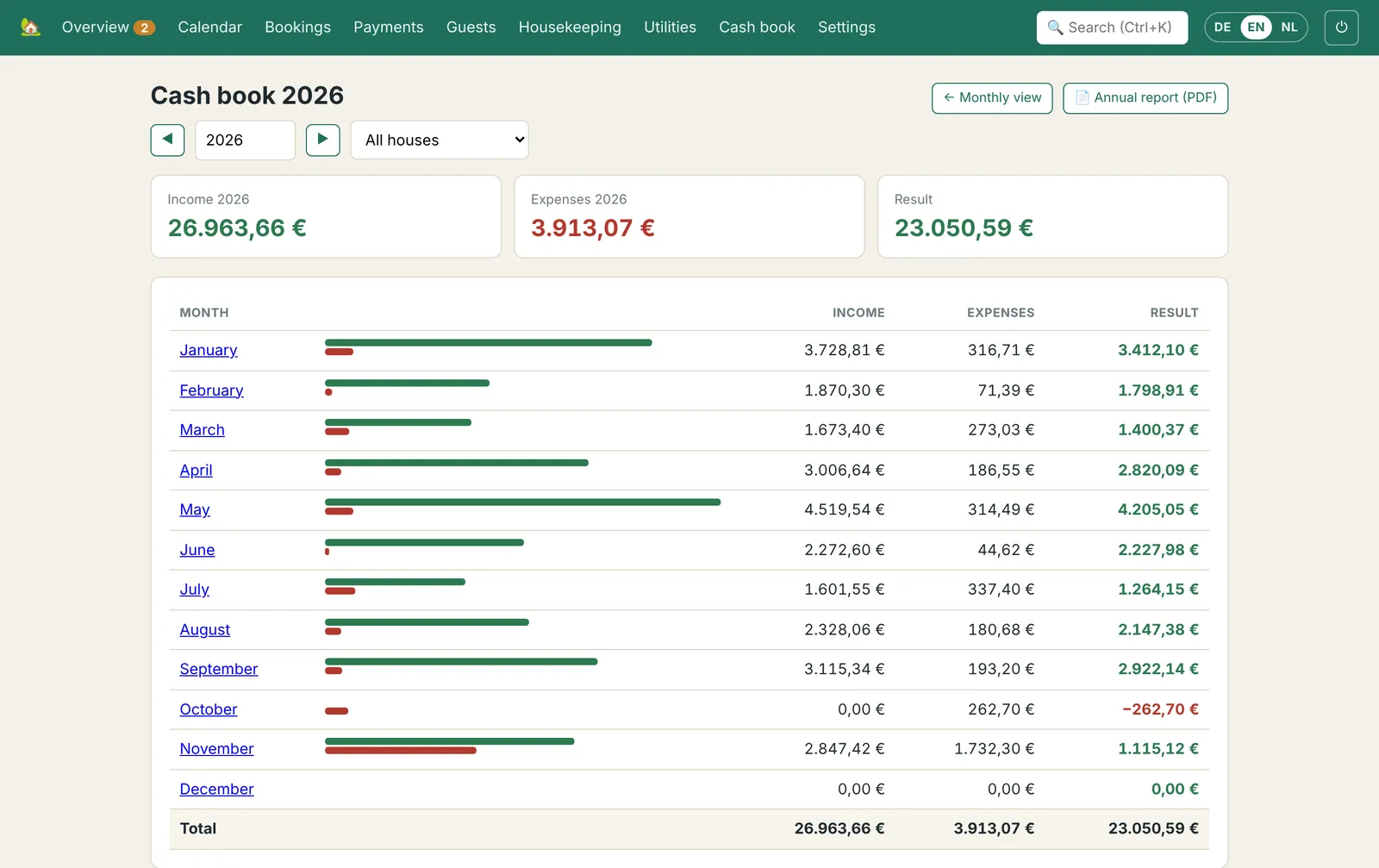
Bookings as an Excel file, annual overview and cash book as PDF, for example for your tax return.

Email from your own account

Quotes and invoices are sent from your own mailbox, and sent emails appear in your “Sent” folder.

Installation

Installed and set up in eight steps

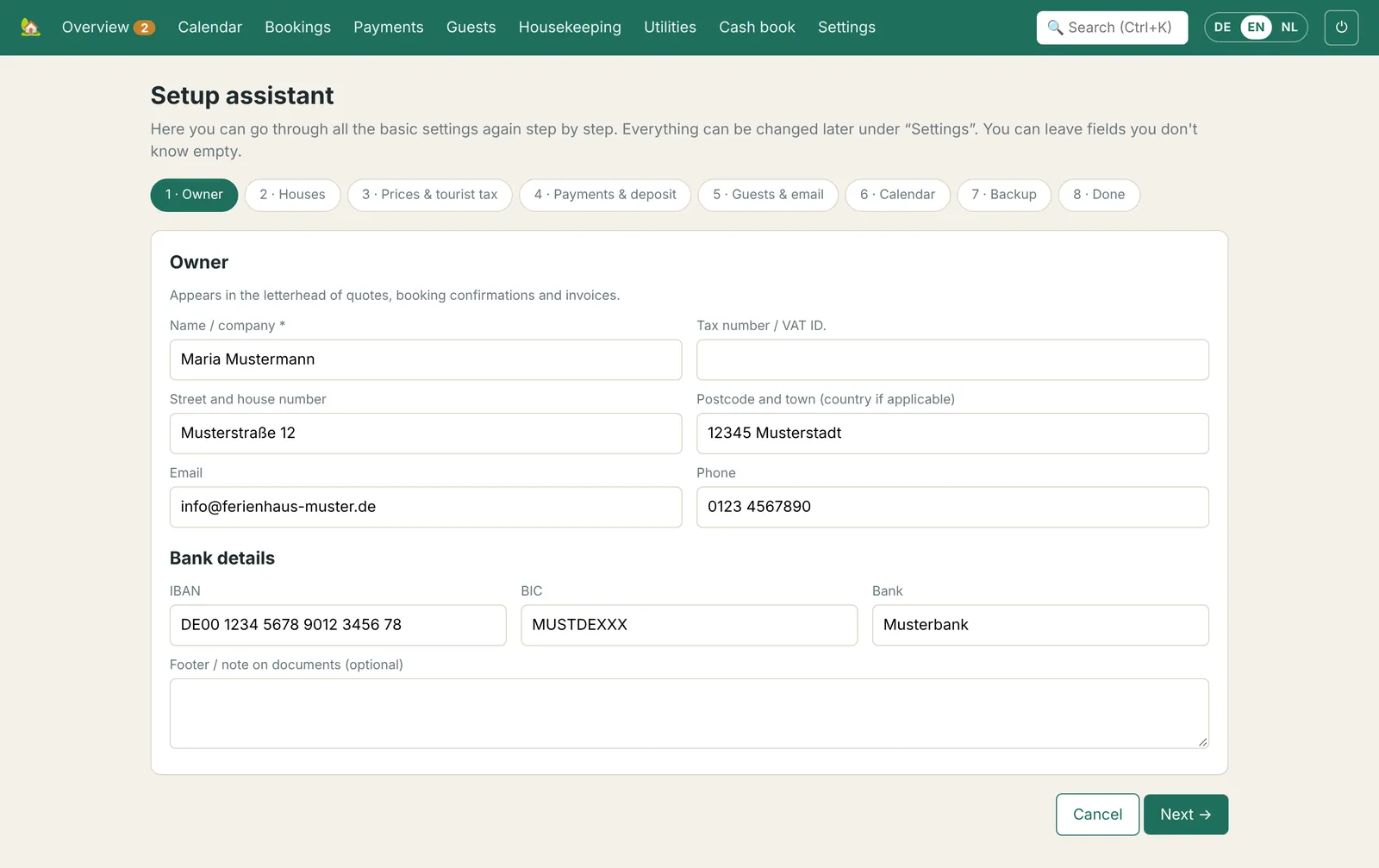
Run the setup file and the setup assistant guides you through all the basics. No administrator rights are needed, and everything can be changed later under “Settings”.

  1. OwnerName, address, tax number, bank
  2. HousesNumber, names, prices, colours
  3. Prices & Tourist taxGuests, surcharges, VAT
  4. PaymentsDeposit, due dates, security deposit
  5. Guests & EmailCheck-in, housekeeping, mailbox
  6. CalendarDropbox, Google Drive, OneDrive
  7. BackupFolder for copies
  8. DoneSummary, sample data
Try it

Try it with your own houses

Trial version

0 €
  • 30 days from the first start
  • All features included
  • Sample bookings if you wish
  • Your data is kept when you switch to the full version
Download for free

For Windows 10 and 11. If Windows shows “Windows protected your PC” on start, click “More info” and then “Run anyway”.

Full version

from €199

One-time purchase, no subscription – incl. VAT

Villaro Start1–2 houses€199Order
Villaro Plusup to 5 houses€299Order
Villaro Proup to 10 houses€399Order
  • No time limit, all features
  • Your data from the trial version is kept
  • Optional: updates and support for €49 per year

“Order” opens a prepared email. You will receive an invoice showing the VAT; once payment has been received, your licence key is sent by email.
Terms · Right of withdrawal

Questions? Write to us at info@villaro-software.com

System requirements: Windows 10 or 11 (64-bit); internet only for sending emails and calendar sync.

Frequently asked questions

Questions and answers

Who is Villaro for?

For private and small commercial owners with one to ten holiday homes or holiday apartments who want to manage bookings, invoices, tourist tax and utility costs themselves, at home or abroad.

Where is my data stored?

On your own PC. There is no account with a provider and no cloud database. You can set up automatic backups to a folder of your choice, such as a USB stick or your Dropbox.

Does the program work with Airbnb, Booking.com or Micazu?

Yes, via iCal calendar links. The program reads the occupancy from your portal and provides your own occupancy as a calendar file that the portal picks up. This works with any portal or channel manager that supports iCal. Only booked days are exchanged, no prices or guest data.

How is the tourist tax calculated?

As a percentage of the accommodation price, including surcharges for additional guests and after discounts. You set the percentage yourself; cleaning and utility costs are not included. The tourist tax appears as a separate line without VAT.

How does utility billing work?

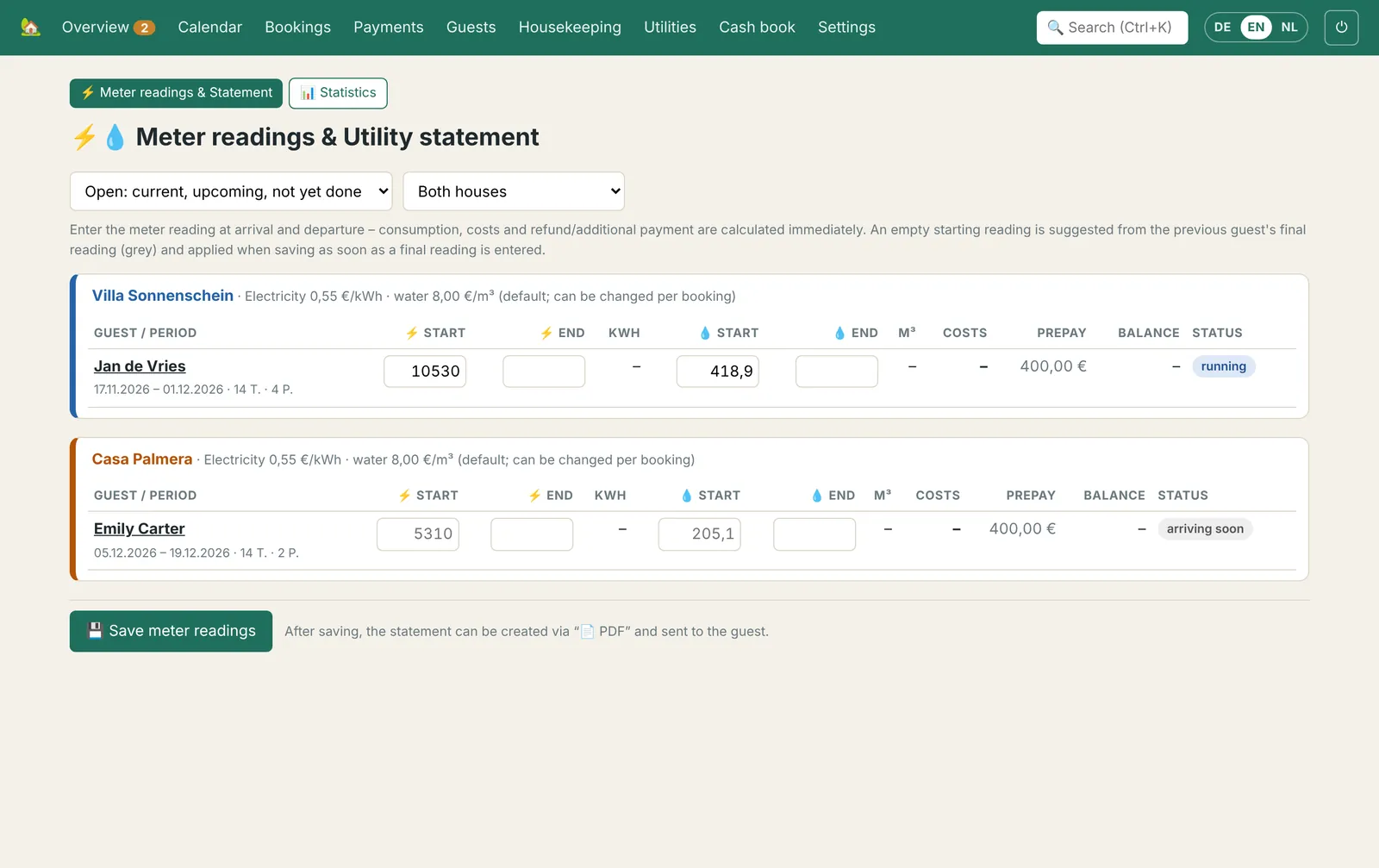
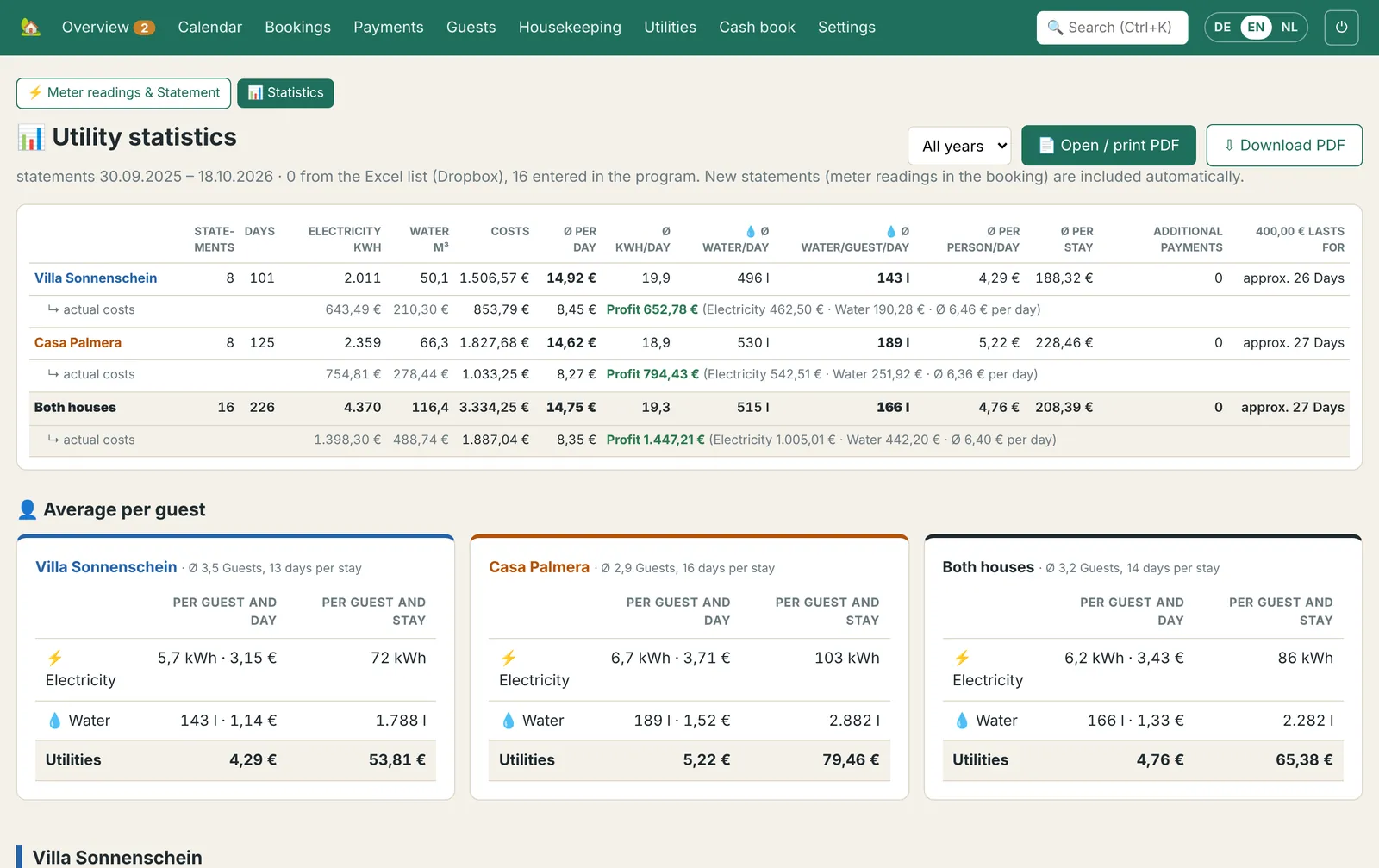
You enter the electricity and water meter readings at check-in and check-out. The program calculates consumption and costs, deducts the prepayment and creates the statement with additional payment or refund as a PDF.

Can I change the texts in emails, quotes and invoices?

Yes, all of them. Subject and text of the emails, headings and texts of the documents, the descriptions of invoice lines and all messages to guests can be edited under “Text templates”, separately for German, Dutch and English. Before sending, you can also adjust each email for the individual guest.

How does the birthday reminder work?

You enter a guest's birthday in the guest record. A few days before, a reminder appears on the start page and in the daily reminder email. One click opens the greeting in the guest's language, ready to send by email or WhatsApp, with a gift such as a free night on the next booking if you wish.

Can I import existing guests and bookings?

Guests can be imported from an Excel list. Bookings from your portal come into the program via iCal sync.

Which languages is the program available in?

You can switch the interface between German, English and Dutch at any time at the top right. Independently of this, quotes, invoices and messages are always created in each guest's language.

Does the program run on a Mac or a phone?

The installation is designed for Windows 10 and 11. The program opens in its own window and works offline; only sending emails and calendar sync need the internet.

Can I try the program before buying?

Yes. The trial version runs for 30 days from the first start with all features. If you wish, the setup assistant creates sample bookings.

How much does Villaro cost?

Villaro is a one-time purchase with no subscription: €199 for 1–2 houses, €299 for up to 5 and €399 for up to 10 houses, VAT included. Updates and support are optional at €49 per year; without this package your purchased version keeps running indefinitely.
Guide for owners

Three calculations every holiday home owner knows

Calculating tourist tax correctly

Many municipalities and countries charge tourist tax as a fixed amount per person and night, others as a percentage of the accommodation price. With the percentage method only the price of the accommodation counts, including surcharges for additional guests and after discounts. Final cleaning, utility costs and extras such as a cot are not included.

(Accommodation + additional guests) × (1 − discount) × tourist tax %

Ask your municipality or tax adviser which rule applies to your house.

Billing utilities fairly

For long stays and in warm regions with air conditioning and pool, electricity and water use varies a lot. Billing by meter reading is easy for guests to follow: note the meter readings at check-in and check-out, multiply consumption by the agreed price and deduct the prepayment.

(End − start) × price − prepayment = additional payment / refund

A prepayment based on the length of stay avoids large additional charges.

Syncing occupancy between portals

If you list your holiday home on several portals, you risk double bookings. The answer is syncing via iCal: each portal provides a calendar link and can import an external calendar. What matters is that your own calendar file is always reachable.

Portal → iCal link → program → calendar file (cloud) → portal

Portals import external calendars at fixed intervals, not instantly, so a booking appears there with a short delay.